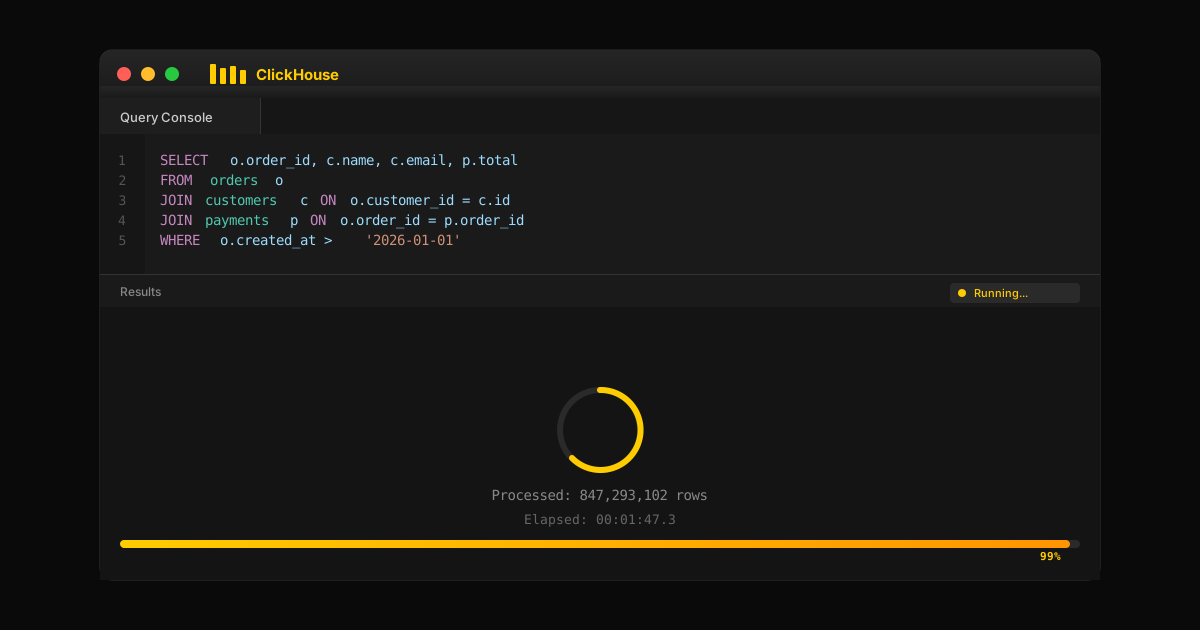
ClickHouse JOINs Are Slow: Here's Why (And What To Do About It)
If your ClickHouse JOINs are killing query performance, you're not alone. Here's why columnar databases struggle with JOINs, what join algorithms are available, how to read the query plan, and when it's time to consider alternatives.
TL;DR: ClickHouse JOINs are slow because columnar storage optimizes for full-table scans, not row-level matching across tables. Hash joins build in-memory hash tables that can spill to disk, the query planner doesn't reorder joins, and data type mismatches silently degrade performance. Workarounds — denormalization, dictionaries, materialized views — each have real costs. If your workload requires complex dimensional joins, real-time enrichment, or mixed operational-analytical queries, the problem isn't your JOIN syntax — it's that ClickHouse wasn't designed for that workload pattern.
You're not imagining it. Your ClickHouse JOINs really are slow.
If you've landed here after watching a 3-way join grind your cluster to a halt — or after discovering that joins in ClickHouse with even small right tables are unexpectedly expensive — you're in good company. Join performance is one of the most common complaints in the ClickHouse community, and it's not a bug. It's a fundamental tradeoff in how columnar OLAP databases work.
This is a practical guide to ClickHouse joins: why they're slow, every join type ClickHouse supports, how each join algorithm works, how to read the query plan, and what workarounds actually help. Whether you're tuning join performance or deciding if ClickHouse is the right tool, this article covers the common scenarios you'll encounter.
Why ClickHouse JOINs Are Slow
ClickHouse is a columnar database engine optimized for scanning massive amounts of data fast. It excels at queries like "sum revenue by region for the last 90 days" — full table scans over denormalized fact tables. That's its sweet spot.
Joins are a different beast. When you join two tables, the query execution engine must:
Build a hash table from one table (typically the right table) during the build phase
Probe each row from the left table against that hash table during the probe phase
Perform row-level matching across join keys — random access patterns that break columnar compression benefits
Handle memory consumption that can spill to disk and tank query performance
ClickHouse's own documentation is blunt: "JOINs are inherently more expensive than querying from a single, denormalized table." Their advice is to minimize joins, limit yourself to 3-4 per query, and denormalize whenever possible.
The query planner in ClickHouse is less sophisticated than what you'd find in PostgreSQL or Oracle. It doesn't reorder joins, doesn't always pick the optimal join algorithm, and query plan choices can vary between versions. This means join performance depends heavily on how you write the query — the order of left and right tables in the join clause, the choice of join algorithm, and whether your join key has matching data types.
That's fine advice if your data model allows it. But if you're doing dimensional modeling, need many-to-many relationships, or can't afford the data duplication of full denormalization — you're stuck.
Every Join Type in ClickHouse
ClickHouse supports the standard SQL join types plus several specialized join types designed for analytical workloads. Understanding what each join type returns — and how it handles the left table, right table, and null values — is essential for writing efficient joins.
Inner Join
An inner join returns only matching rows — rows where the join key exists in both the left table and right table. If a row in either the left or right table has no match, it's excluded from the result.
Inner join is the default join type in ClickHouse. It's also typically the fastest, because the join returns the smallest result set — no null values to fill, no unmatched rows to carry. For example, joining a table orders to a table users where you only want orders with a valid customer: SELECT * FROM orders INNER JOIN users ON orders.user_id = users.id.
Left Join and Outer Join
A left join returns all rows from the left table, plus matching rows from the right table. Where no match exists, the join returns null values for the right table's other columns.
A full outer join returns all rows from both the left table and right table, filling null values wherever a match doesn't exist on either side. ClickHouse supports LEFT JOIN, RIGHT JOIN, and FULL OUTER JOIN — the standard outer join variants.
Left join is one of the most common join types in analytical queries. You want all records from your fact table (the left table), enriched with dimension data from a smaller table (the right table). When the right table is missing a matching row, you still get the original tables' data with null values in the joined columns.
The default value behavior matters here. ClickHouse uses the column's default value (typically 0 for numbers, empty string for strings) rather than SQL-standard NULL in some contexts, depending on the join semantics and table engine. Check your query results carefully — ClickHouse may substitute a default value silently rather than returning null values.
Cross Join
A cross join returns the cartesian product of both tables — every row from the left table combined with every row from the right table. No join key is needed; no join clause filters the result.
Cross joins are rarely used intentionally. The cartesian product of two tables with even modest row counts explodes: 10,000 × 10,000 = 100 million rows. But cross joins are useful for specific common scenarios like generating date grids or combining columns from dimension tables to create all reporting combinations.
A cross join can also appear accidentally when you write a join clause with no valid matching condition. If your query produces unexpectedly multiple rows, check whether a missing or incorrect join key created a cartesian product.
Semi Join and Anti Join
A semi join returns rows from the left table where at least one match exists in the right table — but unlike inner join, a semi join returns only one match per left row, never producing multiple rows from multiple matches. Semi join is useful when you want to filter the left table by existence in the right table without duplicating rows.
An anti join is the inverse: it returns rows from the left table where no match exists in the right table. Anti join is essential for "find what's missing" queries — customers with no orders, products with no inventory, events with no corresponding records.
ClickHouse supports LEFT SEMI JOIN, RIGHT SEMI JOIN, LEFT ANTI JOIN, and RIGHT ANTI JOIN. These join types are efficient because the semi join returns at most a single match per left table entry, and the anti join returns only non-matching rows — reducing result set size and memory usage.
ASOF Join
An ASOF join is ClickHouse's specialized join type for non-exact match conditions — matching rows based on the closest value rather than exact equality. The ASOF join matches each row from the left table with the nearest row from the right table where the ASOF condition is satisfied, typically a timestamp or version number. Unlike standard joins that require an exact match condition, ASOF join finds the best approximate match.
ASOF join is invaluable for time-series and financial data. Common scenarios: joining trades to quotes at the closest preceding timestamp, matching events to the most recent configuration, or looking up the price valid at a specific point in time. An ASOF left join quotes by timestamp retrieves the most recent quote for each trade — a non-exact match that standard joins cannot express.
The ASOF join requires both tables sorted by the ASOF column, and the join clause must include both an equality condition on the join key and an inequality condition for the ASOF match. Join performance for ASOF join depends on the sort order of both tables.
Direct Join
A direct join is a ClickHouse-specific optimization for key value lookups against dictionary tables or tables with unique keys. Instead of building a hash table, the direct join performs point lookups — retrieving rows from the right table by key, similar to using key value structures via dictGet().
Direct join is extremely fast for one-to-many enrichment: a large fact table (left table) joined to a smaller table (right table) with unique keys. The direct join avoids the build phase entirely, keeping memory usage low and join speed high.
Limitations: direct join requires the right table to have only one match per key — duplicate keys will return a single match, as the direct join silently picks one. It works only with specific table engines (Dictionary, EmbeddedRocksDB, or tables with primary key point lookups).
How ClickHouse JOINs Execute: Query Plans and Algorithms
Understanding the query plan and which join algorithm ClickHouse selects is the key to diagnosing join performance issues. Use EXPLAIN or EXPLAIN PIPELINE to inspect the query plan for any query involving joins.
ClickHouse offers several join algorithms. The query plan shows which one was selected. Each join algorithm has different tradeoffs for memory consumption, join speed, and suitability:
Hash Join — The default join algorithm. During the build phase, ClickHouse reads the right table and constructs a hash table in memory from the join key values. During the probe phase, it scans the left table and looks up each join key in the hash table to find matching rows. Hash join is fast when the right table fits in memory, but memory consumption grows with the right table size. For large tables on the right side, the hash table may require more memory than available, causing spills to disk.
Parallel Hash Join — A variant where hash table construction is parallelized across threads. Parallel hash join improves build phase performance on multi-core machines but uses more memory.
Grace Hash Join — When the right table is too large to fit in memory, grace hash join partitions both tables by the join key, processes each partition independently, and combines results. Grace hash join is one of the non-memory-bound algorithms — it trades memory consumption for disk I/O, using low memory usage at the cost of join speed.
Sorting Merge Join — Both tables are sorted by the join key, then merged in a single pass. Sorting merge join is efficient when both the left table and right table are already sorted by the join key — a function of primary key design — no hash table needed. The query plan will show a sort step if data isn’t pre-sorted.
Partial Merge Join — A variant that sorts only the right table and streams the left table. Partial merge join is another of the non-memory-bound algorithms, reducing memory consumption compared to hash join.
You can force a specific join algorithm with the join_algorithm setting:
sql
SET join_algorithm = 'grace_hash';
Check the query plan with EXPLAIN to verify ClickHouse chose the algorithm you expect. The query planner doesn't always make the optimal choice — especially for multiple joins in a single query.
Reading the Query Plan
The query plan shows exactly how ClickHouse will execute your join: which join algorithm, how it reads each table, and where filters apply. Key things to look for in the query plan:
Join algorithm selected — hash, grace_hash, parallel_hash, sorting_merge, partial_merge, or direct
Table scan order — which table is the left table (streaming) vs right table (build side)
Filter pushdown — whether the query plan pushes WHERE conditions below the join to reduce table scans
Memory estimates — expected memory consumption for the build phase
Use EXPLAIN PIPELINE for a more detailed query plan showing parallelism. For join performance tuning, the query plan is your primary diagnostic tool — always check the query plan before optimizing.
Join Keys, the Join Clause, and Null Values
The join clause defines how two tables connect. Getting the join key, data types, and null handling right is critical for both correctness and join performance.
Join key selection: The join key should be the narrowest column that uniquely identifies the relationship. Using multiple columns in the join key increases hash table size and slows matching. Where possible, use integer join keys over string join keys — hash table operations are significantly faster with numeric data types.
Data types matter: If the join key has different data types between the left table and right table (e.g., String vs UInt64), ClickHouse must cast one column, which slows query execution and can produce incorrect matching rows. Ensure data types match across the join clause.
Null values in join keys: ClickHouse's handling of null values in join keys can surprise you. By default, NULL ≠ NULL in join comparisons — two rows with NULL join keys will not match. This is standard SQL behavior but catches people who expect null values to join. Use the join_use_nulls setting to control whether outer join results use SQL NULL or the column's default value.
Combining columns in the join clause: When joining on multiple columns, the join clause uses all specified columns as a composite join key. This affects hash table structure and join performance. Minimize the number of combining columns in the join clause — combine them into a single key column if possible using a computed key.
Common Workarounds (And Their Tradeoffs)
The ClickHouse ecosystem has developed several workarounds for join pain. Each has real costs:
Denormalization is the most common advice, and it works — if you can tolerate the tradeoffs. You're trading storage and write-time complexity for query performance. But if your dimension data changes frequently (customer tier updates, product catalog changes), you're maintaining complex ETL to keep dimension tables in sync.
Dictionary tables enable a direct join pattern — essentially key value lookups via dictGet(). Fast for one table with unique keys joined to a larger table, but dictionaries silently discard duplicate keys, keeping only the last value. If you have one-to-many relationships, dictionaries quietly give wrong answers.
Materialized views can help for specific join patterns, but they lock the database engine under load and are limited to a single join. Not viable for complex dimensional models with multiple joins.
Upstream processing means doing joins elsewhere before loading to ClickHouse. Honest, but now you're maintaining two systems and dealing with data freshness gaps.
Workaround
How It Helps
The Tradeoff
Denormalization
Eliminates joins entirely by pre-joining at write time
Data duplication, complex ETL, stale enrichments
Dictionary tables
Fast key value lookups via dictGet() instead of join
Only works for 1:1 — silently drops duplicate keys
Materialized views
Pre-compute join results incrementally
Can lock the database engine, limited to single joins
Upstream processing
Join in Flink/Spark before loading to ClickHouse
Adds another system, increases pipeline complexity
Join algorithm tuning
Choose hash vs merge vs grace hash per query
Requires deep expertise, still fundamentally limited
When ClickHouse JOINs Work Fine
ClickHouse joins work reasonably well in specific common scenarios:
Smaller table fits in memory — When the right table is a few GB or less, hash join works without spilling
Pre-sorted by join key — Both tables sorted on the join key enable sorting merge join
Simple star schemas — One or two small dimension tables with unique keys, using direct join or hash join
Infrequent queries — When you can tolerate multi-second query time for complex joins
If your workload fits these constraints, tune your join algorithm per query, use EXPLAIN to read the query plan, and accept that join performance will always trail single-table scans. For many analytical workloads, these tradeoffs are acceptable.
When ClickHouse Is the Wrong Tool
Some workloads fundamentally don't fit:
Complex dimensional models with many-to-many joins and multiple joins per query
Real-time enrichment where dimension data changes frequently and joins need fresh data
Mixed workloads that need both fast table scans AND fast join performance
AI/ML feature serving with low-latency point lookups across large tables
Transactional consistency where you can't tolerate stale or duplicate data
No amount of join algorithm tuning or query plan optimization will fix this fundamental mismatch. You're fighting the architecture.
When the JOIN Problem Is a Symptom of a Deeper Architecture Problem
The hybrid workaround — ClickHouse for aggregations, PostgreSQL for point lookups, Redis for low-latency reads — is a common response to ClickHouse's join limitations. It works, up to a point. The cost is that you now have multiple systems holding overlapping state, and any decision that needs results from more than one of them is reading from different snapshots at different moments.
For batch analytics, that inconsistency doesn't matter much. For real-time automated decisions — fraud checks, authorization limits, AI agent actions — it's a structural problem. A fraud check that needs a velocity count from ClickHouse and an account record from PostgreSQL is assembling context from two systems that can be 50–500ms apart under concurrent write load. Within that gap, the decision acts on context that never existed as a consistent whole.
The Tacnode Context Lake is designed for this workload: operational joins, aggregations, and point lookups — all query patterns a real-time decision pipeline depends on — served from one consistent snapshot. It ingests via CDC, maintains incremental materialized views inside its transactional boundary, and handles mixed operational and analytical query patterns natively. The result is that a decision doesn't have to span systems to get the context it needs, which means it can't read an inconsistent view of state.
If your ClickHouse JOIN pain is actually a symptom of a mixed operational-analytical workload serving real-time decisions, that's the architecture worth evaluating.
The Bottom Line
ClickHouse JOINs are slow because columnar databases aren't designed for them. That's not a flaw — it's a tradeoff. ClickHouse chose to optimize for full-table analytical scans, and it's exceptional at that.
If your workload is primarily aggregations over denormalized fact tables with minimal joins, ClickHouse is a great choice. Learn the join types, choose the right join algorithm per query, read the query plan, and denormalize aggressively.
But if you're building dimensional models, need real-time enrichment, or find yourself constantly fighting join performance across multiple joins — it might be time to question whether you're using the right tool. Sometimes the answer isn't a better workaround. It's a different architecture.